TIDECOIN
Get TDC

Tidecoin Wallets

Secure your TDC with post-quantum protection on any device. Web, mobile, browser extension, or full desktop node — your keys, your coins, everywhere.

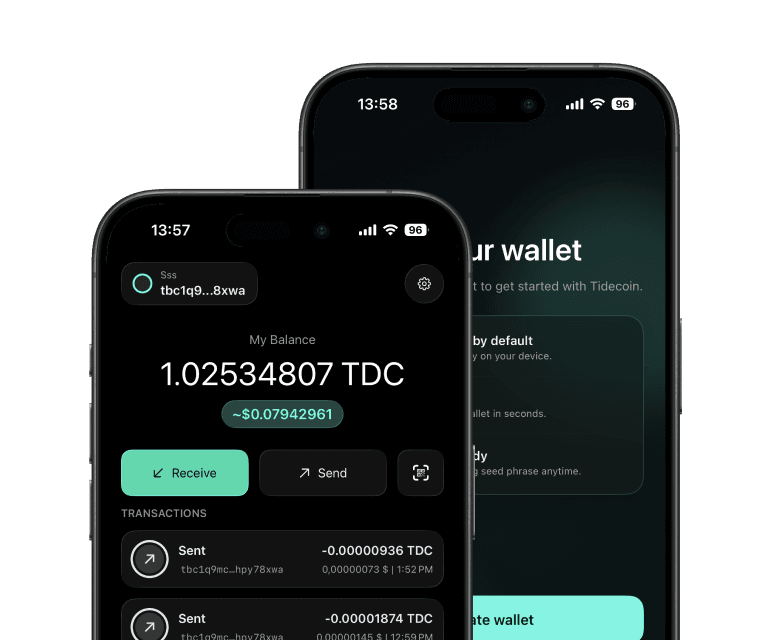
Coming soon
Tidecoin Wallet

Which Tidecoin wallet is right for you?

Web Wallet — tdc.cash

Getting started instantly, no installation

  • Desktop & mobile browsers · nickname + password
  • Keys generated on your device and never leave it
  • Flat fee: 0.005 TDC per transaction
  • WIF key import/export — not verified for this version

Android App

Mobile TDC management on the go

Chrome Extension

Web3 integration, browser-based dApp access

  • Create & restore wallets with mnemonics
  • Multiple wallets & accounts; transaction history
  • Private key import/export
  • Locally encrypted data — keys never leave your computer

Core Wallet (Desktop)

Full node operators, miners, maximum security

  • Linux, macOS & Windows

iOS App

iPhone / iPad (App Store)

// desktop core wallet

Core Wallet (Desktop)

Full node — verify every transaction yourself

  • PQHD wallet — quantum-secure key derivation with multi-seed, multi-scheme support
  • Choose from 5 PQ signature schemes (FIPS 204, Draft FIPS 206)
  • GUI (tidecoin-qt) or daemon (tidecoind) + CLI (tidecoin-cli)
v0.18.3
// comparison

How do Tidecoin wallets compare?

FeatureWeb WalletAndroid AppChrome ExtensionCore Wallet
Best forQuick start, no installMobile accessBrowser Web3, dAppsFull control, verification
InstallationNone (browser)Google PlayChrome Web StoreDownload + run
Full nodeNoNoNoYes
Mnemonic backupNo (nickname + password)Not verifiedYesYes
Private key import/exportNot verifiedNot verifiedYesYes
Transaction historyNot verifiedNot verifiedYesYes
Data encrypted locallyNot verifiedNot verifiedYesYes
PQHD + multi-schemeNoNoNoYes (5 schemes)
MobileYes (responsive)YesNoNo

Swipe to compare all wallets

Not verified = not confirmed by the current application or store listing before site launch

// frequently asked

Wallet FAQ

All FAQ

Which wallet should I use?

For beginners, start with the Web Wallet at tdc.cash — no installation needed. For mobile use, get the Android App from Google Play. For Web3 features, install the Chrome Extension. For maximum security and full node verification, use the Core Wallet.

Are my keys safe in the Web Wallet?

Yes. Keys are generated client-side in your browser and never leave your device. However, if you forget your nickname and password, no one can recover your account — save your credentials securely.

Does the Core Wallet support all five PQ signature schemes?

Yes. The Core Wallet includes full PQHD support with all five PQ schemes from NIST's process: Falcon-512 (default), Falcon-1024, ML-DSA-44, ML-DSA-65, and ML-DSA-87. (ML-DSA is finalized as FIPS 204; Falcon is Draft FIPS 206.) You can set your preferred scheme with the setpqhdpolicy RPC command.

When will the iOS wallet be available?

The iOS wallet is currently in development. Follow our social channels for release announcements.